Product
Job Tracking
Problem
The work is finished, but nobody can say which jobs have been invoiced and which invoices are still unpaid.
Principle
When a visit is completed, the job moves to the billing queue on its own. Your office keys the revenue and the invoice number.
The work doesn't disappear when the technician finishes. It enters the billing queue, and your office turns it into a number you can chase.
Who uses it
Office and finance roles key revenue and invoice numbers. Other roles see job status.
Workflow
Product
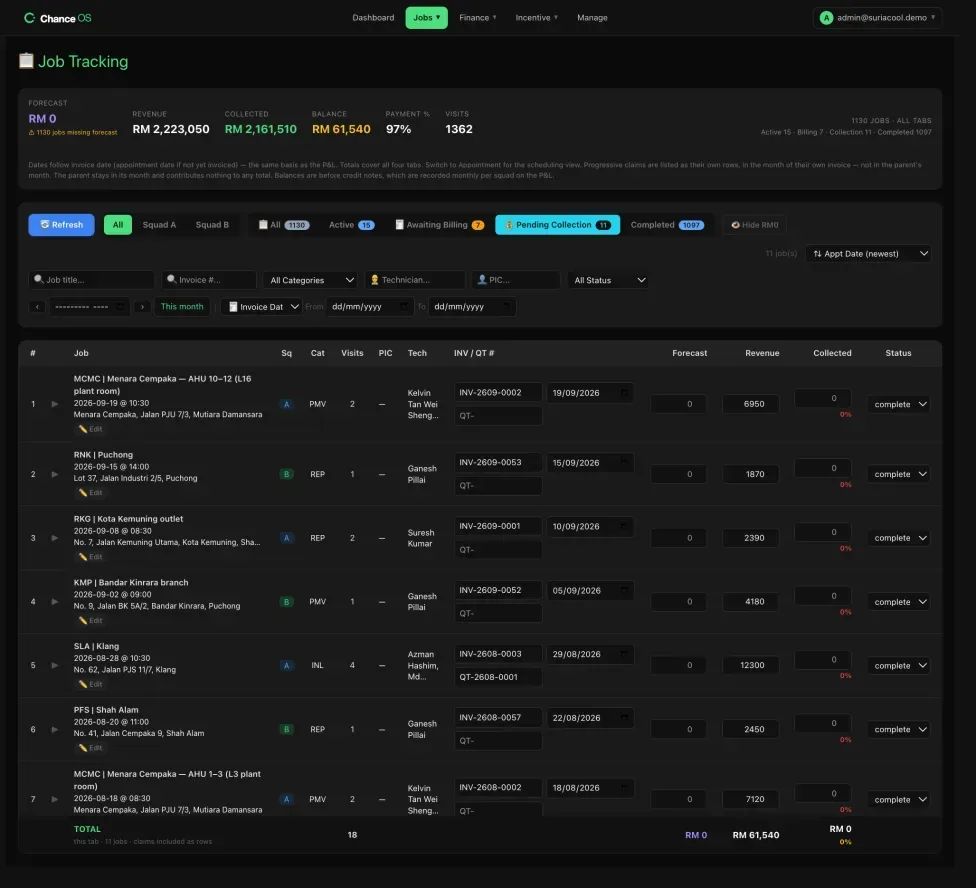
Saves on the job, visit, revenue, cost and attendance paths are verified — a failed write tells you.
Outcome
Jobs done but not yet billed, and jobs billed but not yet paid, sit in two named lists your office works from.
Connected systems
What it doesn't do yet
Chance OS does not issue invoices or quotations. Your accounting system does that.
It keeps each customer's details. It does not keep an equipment record or a service history per unit.