Product
P&L
Problem
You find out whether a squad made money weeks after the month ends, if anyone works it out at all.
Principle
One P&L per squad, from one formula. The dashboard and the profit pool read the same number.
Who uses it
Squad leaders see their squad. The fence is in the database, not the interface.
The Accountant role is read-only, everywhere.
Workflow
Product
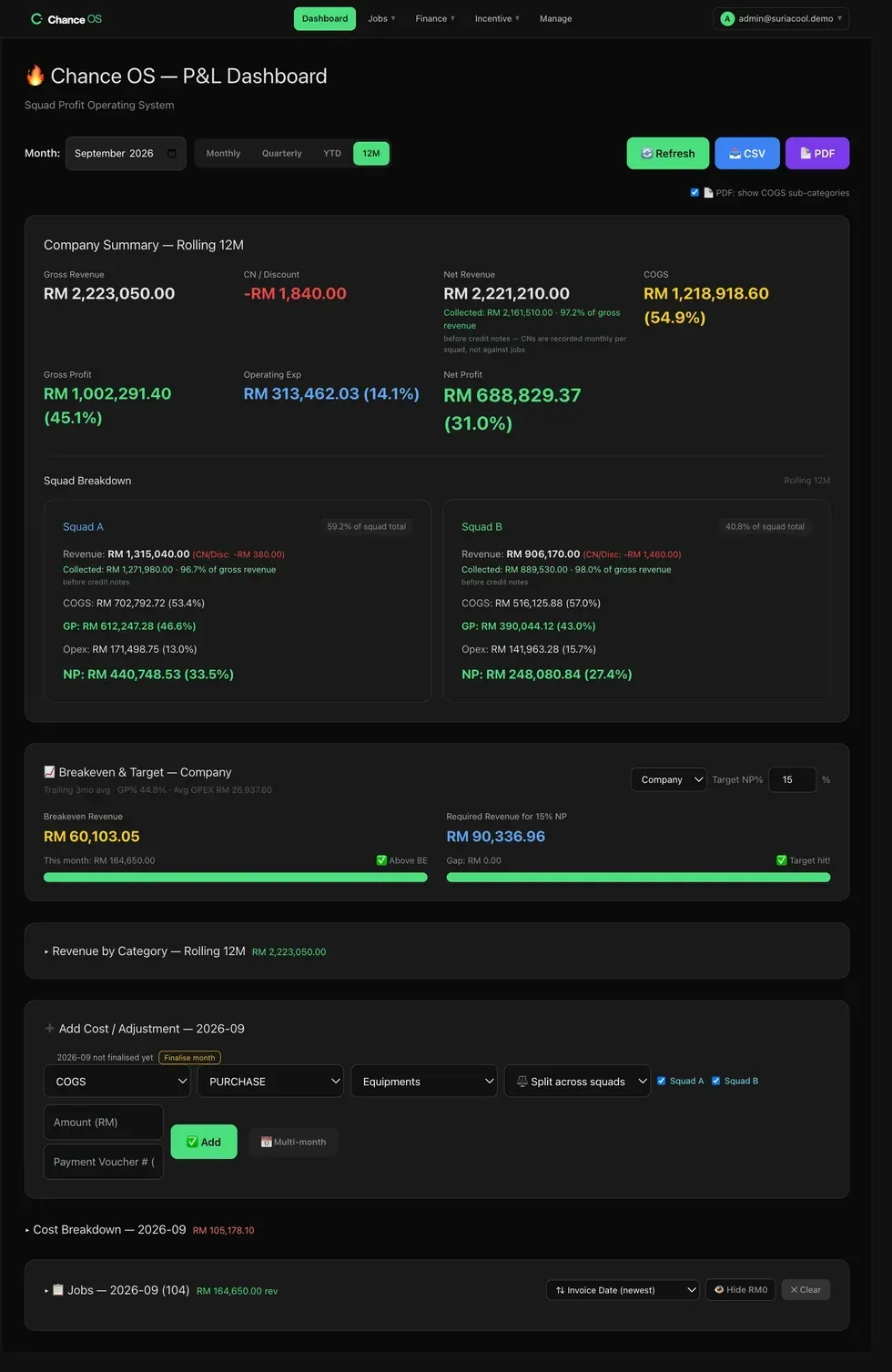
Every list reads in a fixed order, and the system checks its own row counts nightly.
Outcome
See which squad made money last month — and the number each must bill to break even this month.
Your office types in the revenue and the costs.
Connected systems
What it doesn't do yet
Chance OS records money. It does not move it. Invoices, payroll and payments stay in your accounting system and your bank.
There is no profit figure per job. The P&L counts costs and profit per squad — built by month, rolled up by quarter and year.
Attendance and overtime hours are recorded. They do not become labour cost in the P&L.