Product
Technician Portal
Problem
The work gets done, but the photos stay on the technician's phone and the report is written from memory days later.
Principle
Built for basement plant rooms: photos compress, retry, and tell you honestly when one didn't make it.
Who uses it
Technicians sign in with a PIN, enrolled during a window the office opens. No email, no app store, no password to forget on a roof.
Technician PINs are issued and reset by the office, never from the phone alone.
Workflow
Product
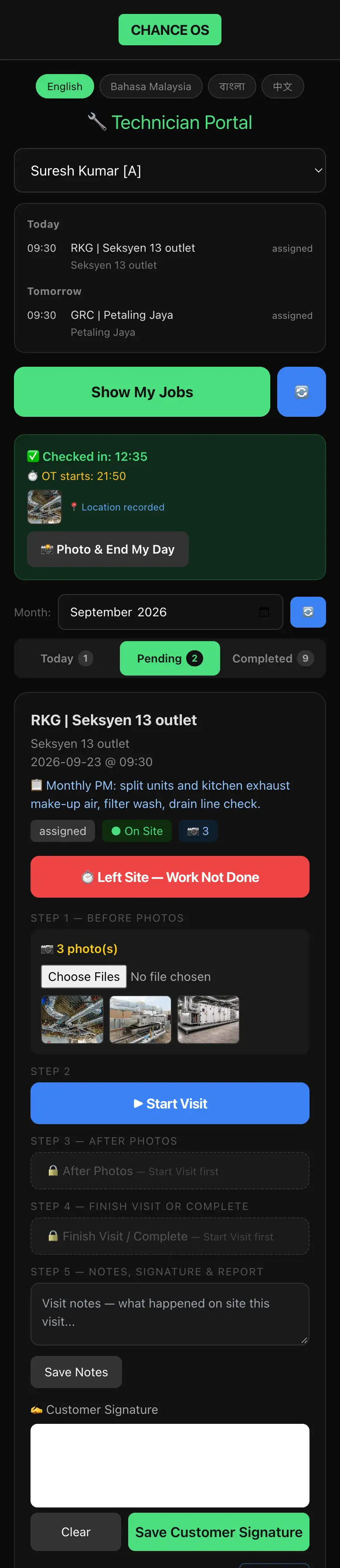
A visit can't be left half-open. Stuck sessions are closed by rule, not by someone noticing.
Customer signature and signed report are captured per visit.
Your working hours, your OT policy — automatic OT-start from check-in.
Outcome
Before/after photos, customer signature, numbered service report with your letterhead — every visit.
Connected systems
What it doesn't do yet
The portal does not keep work on the phone to send later. Each save needs a signal.